
🙂 The Sticker System
Stickers are collectible profile decorations on Indieguana. Learn how to claim them, arrange them on your profile, and — if you're an author — how to create and submit your own.
Stickers are small, collectible PNG images that appear on author and reader profile pages. Every user can collect and display stickers. Authors can also create and submit their own for the community to claim.
Where Stickers Appear
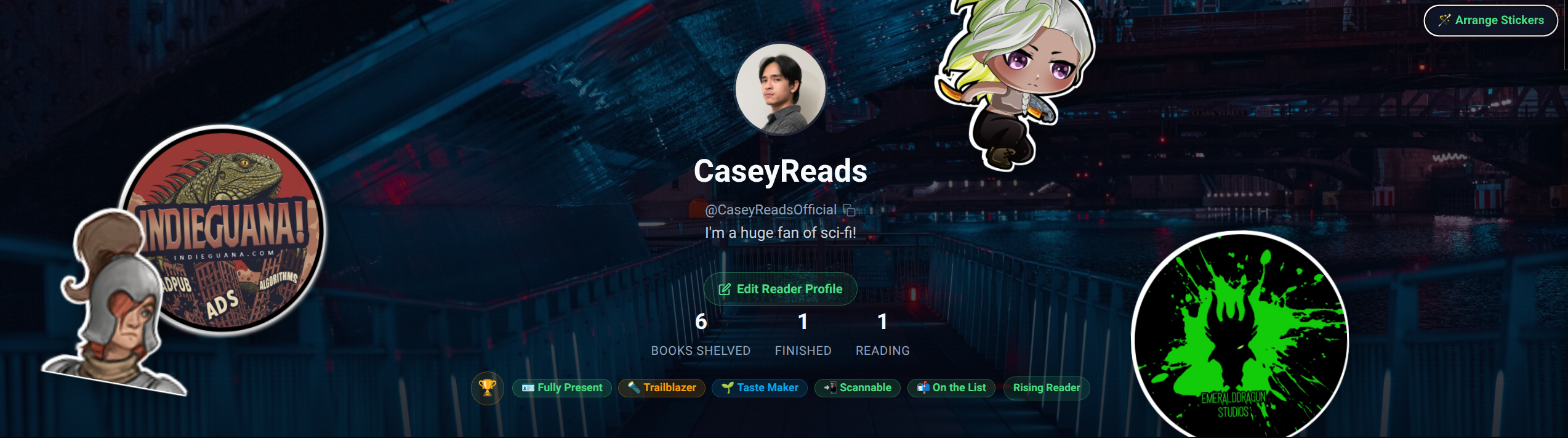
Stickers are displayed in the hero area at the top of Reader Profiles. Up to five stickers can be placed at one time, positioned and rotated anywhere within the hero banner.
Claiming a Sticker
When you visit an author’s profile page, you may see a Stickers tab below their profile information. This section lists any stickers that author has made available. Click the Claim button next to a sticker to add it to your collection. Each sticker can only be claimed once per user.
Arranging Stickers on Your Profile
Once you have stickers in your collection, you can place and arrange them on your own profile:
- Go to your Reader Profile page.
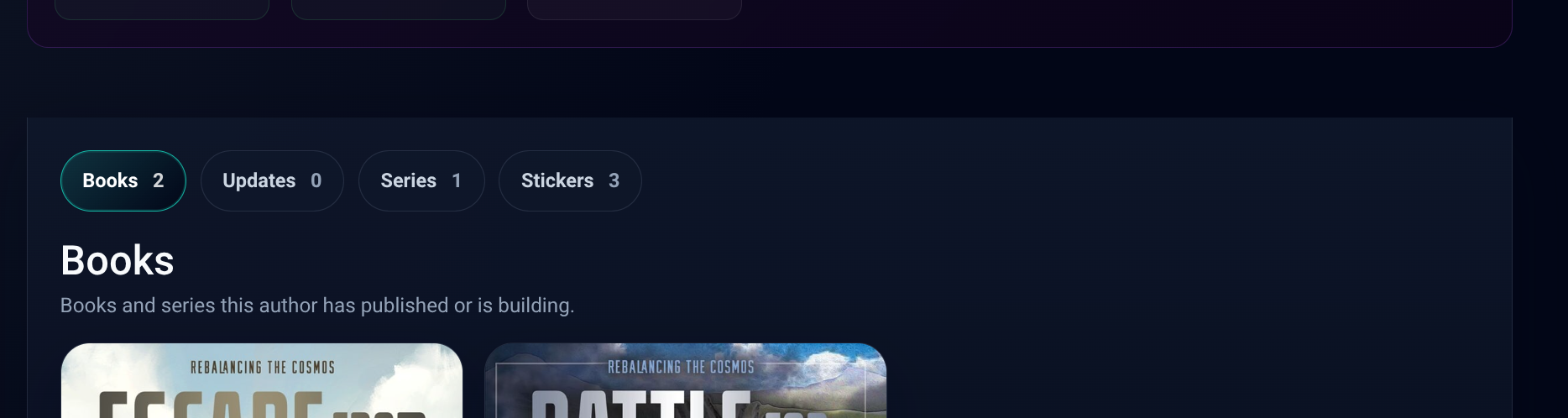
- Click the 🪄 Arrange Stickers button that appears in the hero area (only visible to you on your own profile).
- The hero area will show a dashed green border indicating arrange mode is active.
- Click any sticker from your collection in the palette that appears to add it to the canvas. You can place up to 5 stickers at a time.
- Drag stickers to reposition them anywhere in the hero area.
- Hover over a placed sticker to reveal the size slider — drag it to resize.
- Drag the rotate handle to spin a sticker to any angle.
- Click the × button on a placed sticker to remove it.
- Click Save Arrangement when you’re done. Your layout is saved and visible to all visitors.
Creating Your Own Sticker (Authors Only)
If you are an author on Indieguana, you can design and submit your own stickers for admin approval. Once approved, your sticker becomes claimable by other users directly from your profile page.
To submit a sticker:
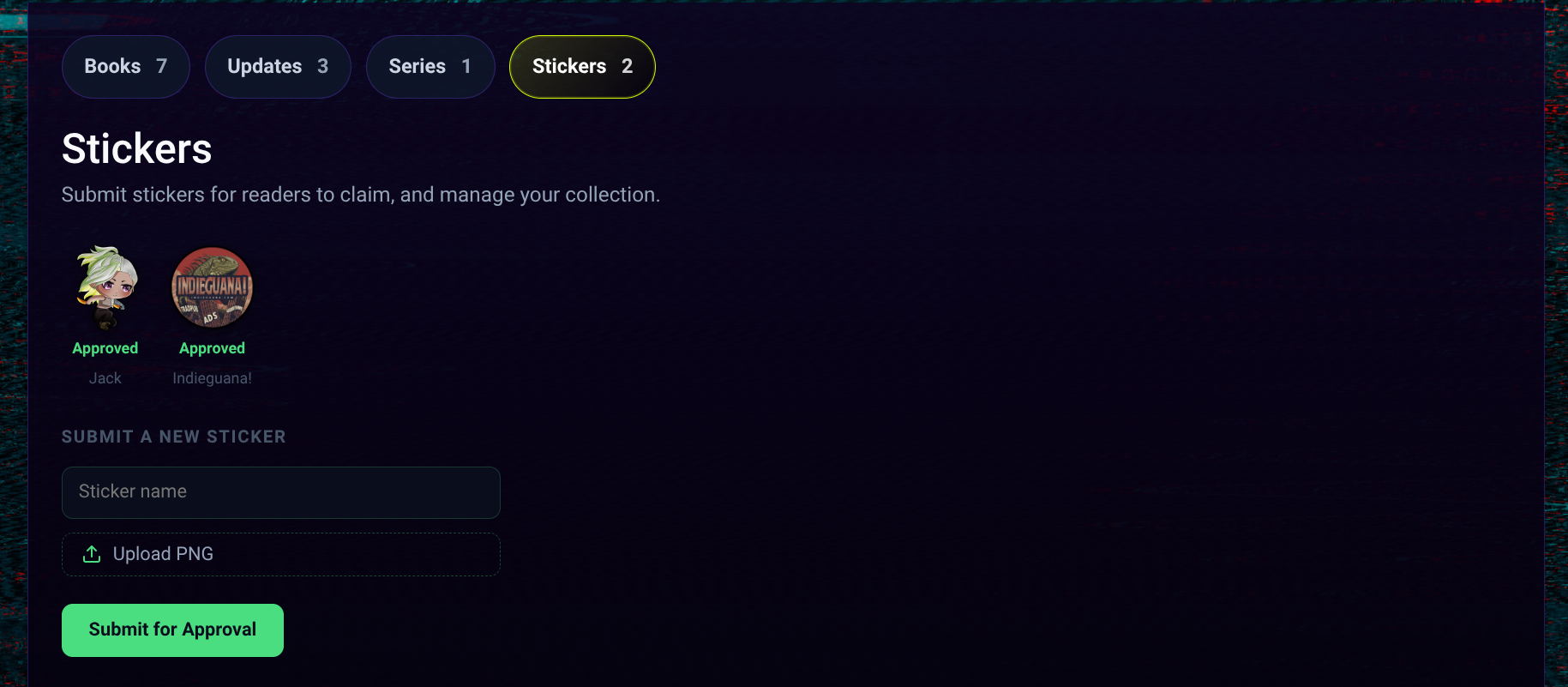
- Go to your Author Profile page and click the Sticker tab.
- In the sticker palette, click Submit a Sticker.
- Enter a name for your sticker.
- Upload a PNG file. PNG is required — transparency is supported and recommended so the sticker blends naturally over any profile background.
- Click Submit. Your sticker will be sent to the Indieguana team for review.
👉 Your stickers are clickable and link back to your author profile. Every time a reader posts your sticker to their profile, it’s an opportunity to drive other readers to your books!
Sticker Guidelines
When designing a sticker for submission, keep these in mind:
- PNG format only
- Transparent background strongly recommended
- Keep it themed to your book or brand when possible
- No copyrighted characters or logos
- Stickers that violate community guidelines will be declined
Once approved, your sticker will appear in the Claim a Sticker section of your author profile for other users to collect.